
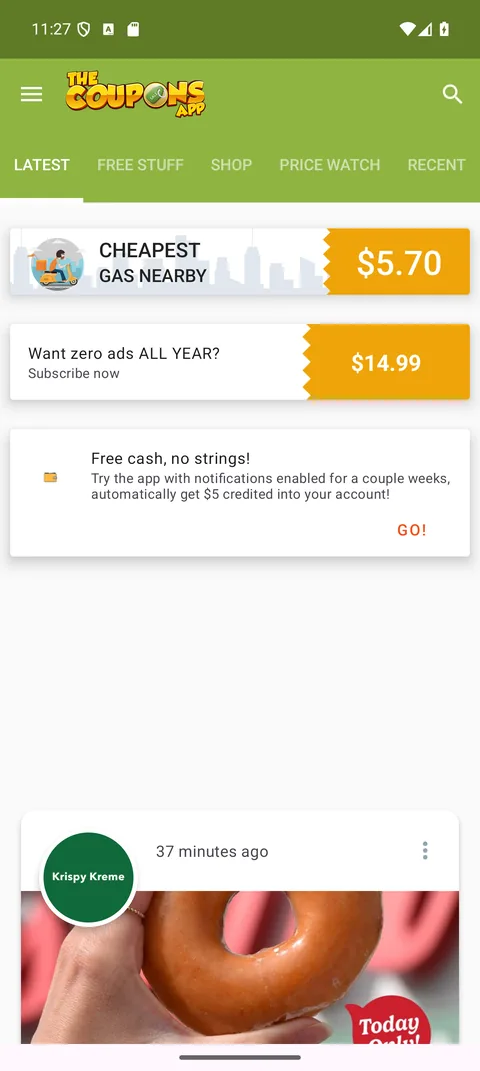
Signed by us
Every release is signed with the key we have used since 2010, so a newer version installs over the old one and keeps your favorites. The SHA-256 fingerprint above lets you check the file byte for byte.
The Google Play edition is retired, so the app now comes straight from us. The same free coupons, promo codes, weekly ads, local deals and cheapest-gas finder, installed in about two minutes, no store account needed.
Downloading. When it finishes, tap Open on the notification, then follow the steps below.
On a computer? Point your phone’s camera at the code to open this page there, or download the file here and copy it to your phone.
Android lets you install apps from outside Google Play. The first time you do, your phone asks for permission once. Here is exactly what you will see.
Tap the green Download the APK button above. Chrome may say the file "might be harmful" or ask "Download anyway?" because it did not come from Google Play. Tap Download.

When it finishes, tap Open on the download notification. Or open the Files app, go to Downloads and tap TheCouponsApp-57.29.apk.

The first time, Android says your phone "is not allowed to install unknown apps from this source". Tap Settings, switch on Allow from this source, then tap back. You only do this once.

Android asks "Do you want to install this app?". Tap Install. If Google Play Protect offers to scan the app first, let it; it takes a few seconds.

Tap Open and start saving. You can switch the permission from step 3 back off afterwards; the app stays installed.

Every release is signed with the key we have used since 2010, so a newer version installs over the old one and keeps your favorites. The SHA-256 fingerprint above lets you check the file byte for byte.
Google Play Protect scans apps installed this way too, on every phone that has the Play Store. Let it run when it offers; it takes a few seconds.
Coupons, promo codes, weekly ads, local deals and the cheapest gas near you, free since 2008. Nothing to pay and no account needed to use it.
The Google Play edition was discontinued in 2026. Rather than leave Android users without the app, we publish it here as a direct download: the same app, built and signed by us, free as it has been since 2008.
Android has always allowed it; the permission in step 3 exists so that you decide, per browser or app, what may install software. Our file is signed with the key we have used since 2010, Google Play Protect still scans it when you install it, and you can check the SHA-256 fingerprint shown above against the file. Only download it from thecouponsapp.com.
No. Apps installed this way do not update automatically. When a new version is out it appears on this page; installing it over the old one keeps your favorites and settings.
Any phone or tablet on Android 6.0 or newer: Samsung, Google Pixel, Motorola, OnePlus and the rest. On Samsung phones the permission lives under Settings, Apps, Special access, Install unknown apps; the steps are otherwise the same.
Play Protect flags apps it has not seen many times. If you downloaded the file from this page, tap More details, then Install anyway. If you got the file anywhere else, delete it and download it here instead.
Touch and hold the app icon, tap App info, then Uninstall. The same as any other app.
The Coupons App is on the App Store for iPhone and iPad, rated 4.4 by more than two thousand people. Get it on the App Store.
The full app on the App Store: coupons, promo codes, gas prices, local deals and alerts. Requires iOS 13 or later.

Promo codes and coupons while you shop online, from the Mac App Store.
Get it for SafariThe same promo codes and coupons in Firefox on Windows, Mac or Linux.
Add to FirefoxEvery coupon and today’s Amazon deals are on the website too, and the blog posts new coupons every hour.